
Staff qualifications and certificates, kept current from their phone
- Qualifications with expiry dates and status
- Certificates uploaded as a photo or PDF
- A review list for the whole centre
- Linked to who can run each session
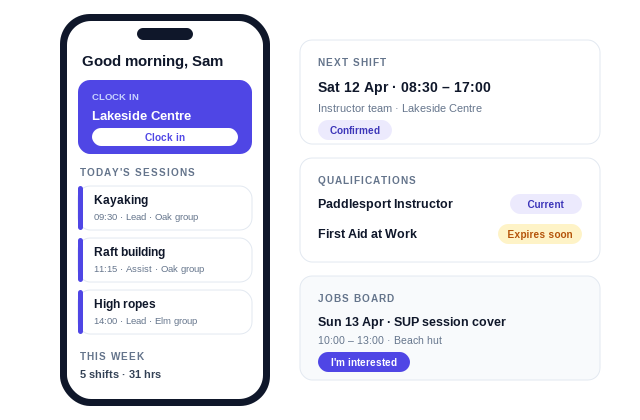
Staff can see where they stand
- Choose which qualifications are shown to staff. Each one shows its status — current, expires soon, expired or in progress — and its start and expiry dates.
- Staff see whether you hold a certificate for it, and whether it has been verified.
- For in-house training they see their assessments and supervised sessions, and can add their own comments.
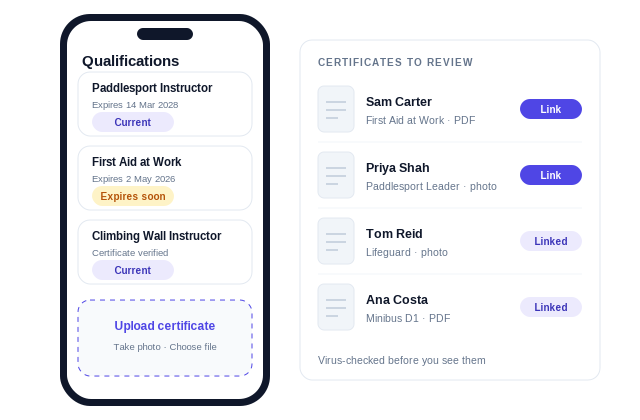
Upload a certificate in seconds
- Staff take a photo, choose one from their library or pick a PDF, and say what it is.
- Every upload is virus-checked before your centre sees it, and staff are told straight away if one fails.
- Certificates belong to the staff member: they keep them if they move on, and can delete them at any time.
Review them in one list
- Uploads arrive in a Certificates tab in Cinolla, for the whole centre in one list.
- Link a certificate to one or more qualifications, or reject it — and the staff member gets a notification in the app.
- Notifications and reports keep you ahead of upcoming expiries.
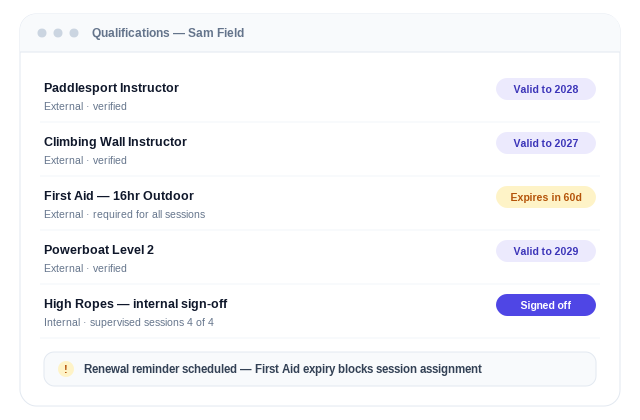
Qualifications that drive staffing
- Track external qualifications and renewal dates, and use internal sign-offs for each activity.
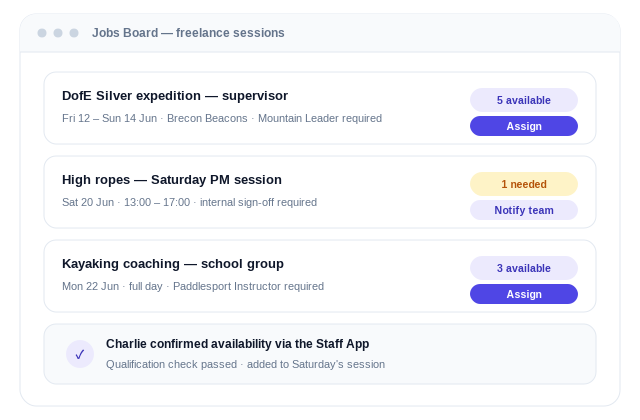
- Staff are assigned to sessions with an awareness of what they hold and when it runs out.
- The same record feeds the Jobs Board, so only the right people are offered the work.
Staff App
More in the Staff app
Staff App overview
Everything the Cinolla Staff app does for your team.
Read more →Shifts, sessions and availability
The rota, each session's details, availability, holiday requests and the Jobs Board.
Read more →Clock in and out
One tap from the Home screen, with geofenced locations so staff clock in on site.
Read more →Ready to transform your activity centre?
Book a demo with our team today
Who it's for
Built to suit a huge range of operators
One platform, tailored to the way your sector actually works.