The Cinolla Staff app — your team's working day, in their pocket
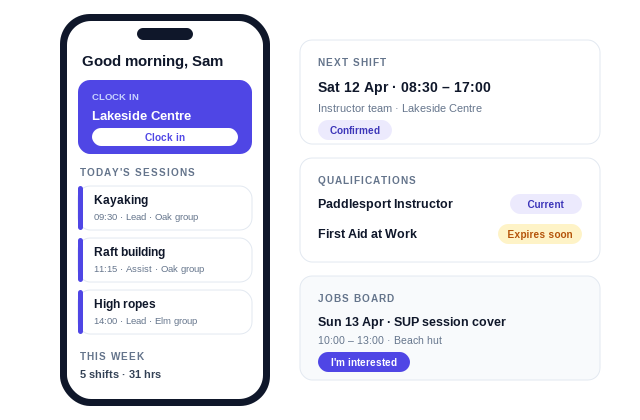
- Shifts and sessions, always up to date
- Clock in and out, with an optional on-site check
- Availability, holiday requests and the Jobs Board
- Qualifications, expiry dates and certificate uploads
- Room lists for your housekeeping team
Inside the app
What your team can do with it
Shifts, sessions and availability
The rota, each session's details, availability, holiday requests and the Jobs Board.
Read more →Clock in and out
One tap from the Home screen, with geofenced locations so staff clock in on site.
Read more →Qualifications and certificates
Staff see what they hold and when it expires, and upload certificates from their phone.
Read more → Everyone knows where they need to be
- Staff open the app to their next shift, today's schedule and the week ahead, with the rota by week or month behind it.
- Each session shows the time, the activity, their role, their team and who they're working with.
- Daily Activities shows everything running at the centre for any day — and you choose which teams see it and how far ahead.
- Push notifications tell staff when something changes, so the rota on the wall is never the out-of-date one.
Clocking in that proves they were there
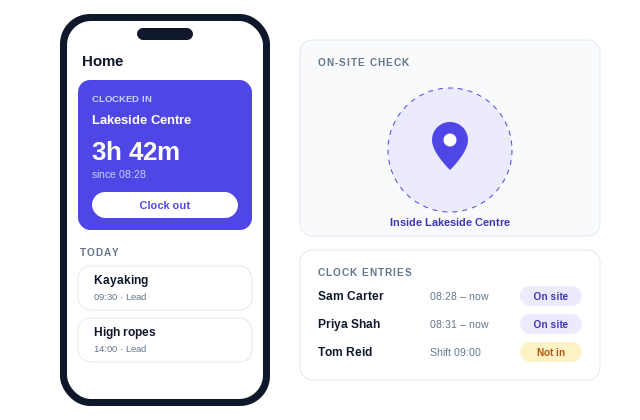
- Staff clock in and out from the Home screen. Draw your sites on a map and they can only do it while they're on site.
- Their position is checked once, at the tap, and then thrown away. Nobody is tracked in the background.
- Clock entries sit beside the rota in Cinolla, ready to review, correct and report on for payroll.
Qualifications that stay current
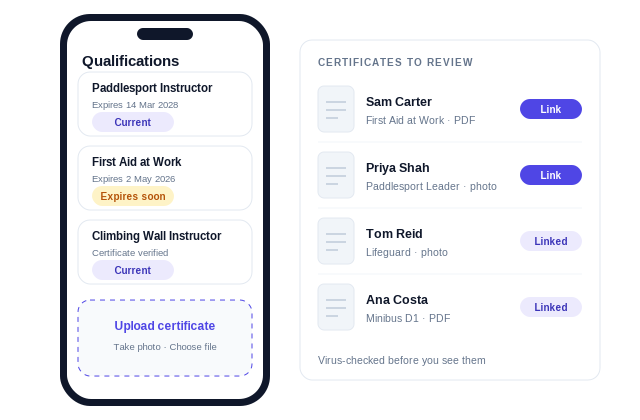
- Staff see the qualifications you share with them, with expiry dates and the status of each certificate.
- They photograph or upload a certificate from their phone, and you review it and link it to their record.
- Because qualifications drive who can run each session, an expired first-aid ticket shows up before it becomes a problem.
For the whole team, not just instructors
- Housekeepers see today's rooms — arriving, leaving or staying on — and mark each one clean, with reception seeing it straight away.
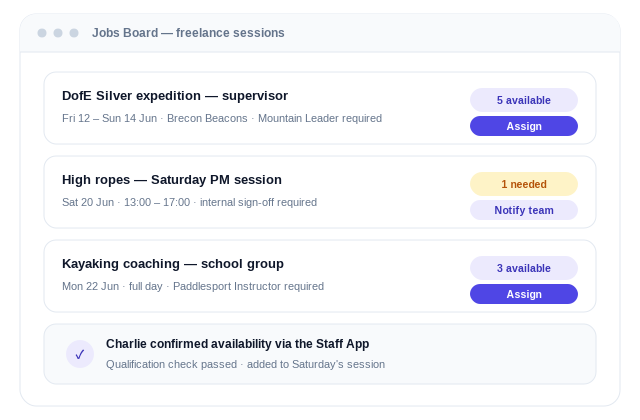
- Freelancers pick up work from the Jobs Board and set the days they're available, across every centre they work for.
- Limit guests' medical and dietary details so staff only see them while they're at your centre.
- You decide who gets the app, and the Staff Access report shows who has registered and when they last used it.
Ready to transform your activity centre?
Book a demo with our team today
Keep exploring
Discover the features that make Cinolla so easy to use
Every module shares the same bookings, contacts and availability.
Shifts and sessions
- Next shift and today's schedule on the Home screen
- Session details, roles and co-workers
- Daily Activities for the whole centre
Clock in and out
- One tap from the Home screen
- Geofenced so staff clock in on site
- Location checked once and never stored
Qualifications
- Expiry dates and certificate status
- Upload a certificate as a photo or PDF
- Reviewed and linked by your centre
Made for staff
- Free on the App Store and Google Play, and on the web
- One sign-in for every centre they work at
- Face ID or fingerprint lock, light and dark mode
Who it's for
Built to suit a huge range of operators
One platform, tailored to the way your sector actually works.